How it works Screens, buttons, rain and battery
Screens, buttons, rain and battery
Nine activities, screens you build yourself, a start with a button press, a screen that locks in the rain, and your battery life shown before you head out.
Activities
- Running, treadmill running, trail running, walking, hiking, cycling, indoor cycling, strength training and other activity.
- On the bike, always speed rather than pace, and an announcement every 5 km (3.1 miles).
- Strength training shows duration, calories and heart rate, like the Workout app.
- Only running (outdoors, on a treadmill, trail) feeds VO2 max, guided workouts and running form. Every activity gets its load.
Your screens
- 1
A set of screens per activity
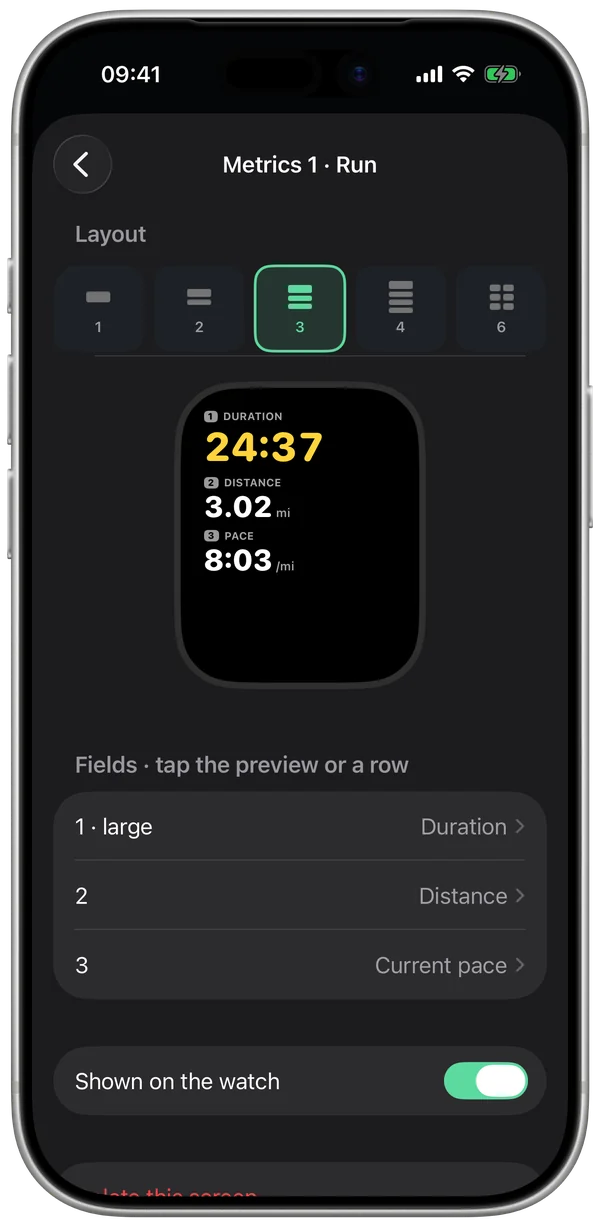
You turn them on, turn them off and order them in Settings › Your watch, on your iPhone, with a preview at your watch's actual size.
- 2
From 1 to 6 fields per screen
Out of 59 fields: duration, distance, paces, heart rate and zone, elevation, running form, workout step, navigation… Or the map, with 0, 2 or 4 fields. On smaller watches or with larger text, 4 fields at most, so it stays readable.
- 3
Change a field mid-run
When your run is paused, a long press on a field changes it right on your watch.
Battery
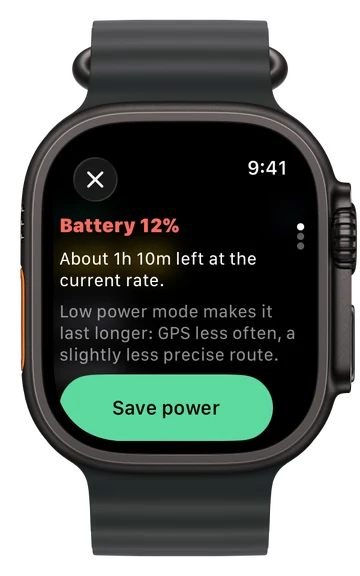
- Before you start, your watch estimates how long its battery will last; during your run, it recalculates based on actual usage.
- Low power mode checks GPS less often: the battery lasts longer, and the track is a little less precise. It's offered when the battery drops below 15%.
- On an Ultra 3, a real run with Stamio's recorder used 6 to 9% of battery per hour. A smaller watch has a smaller battery.
Keeping your run safe
- The workout is held by the watch itself: if the app restarts mid-run, recording picks up where it left off.
- At the finish, your run is saved to the Health app (workout, track, measurements). You can also choose "Don't save".
- Auto-pause, auto-lap every mile and sounds can be set per activity.
Questions
Does a GPS watch last longer?
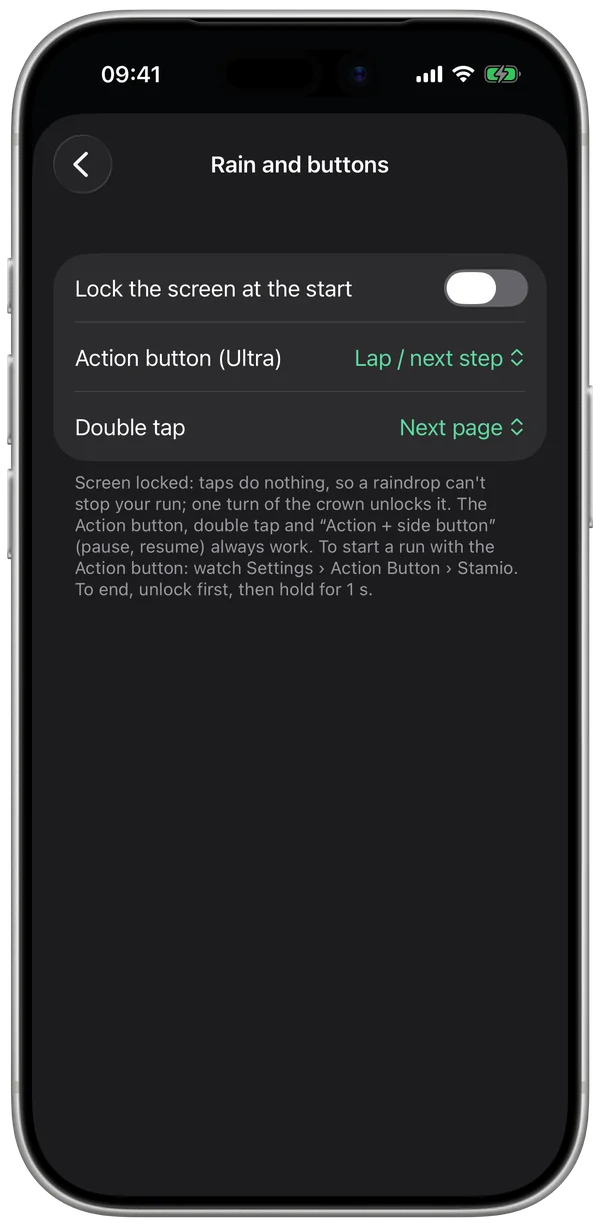
Yes, a GPS watch keeps the edge on battery life and physical buttons. Stamio narrows the gap: battery life shown up front, Low power mode, a locked screen and customizable buttons.
My watch doesn't have an Action button.
Swipe right and tap "Start". During your run, double tap does the same job, on watches that support it.
Can I set up screens from the watch?
Screens are built on your iPhone. On the watch, you set what changes right before or during your run: sounds, active screens, alerts, pause, Low power mode, lock.
Battery life depends on your watch, its age, the temperature and what's turned on (map, voice, Always On display).