User guide Settings
Settings
Everything is set from your iPhone, even what happens on your watch. Tap the gear at the top of the home screen.
Where iPhone › Today › gear
The basics
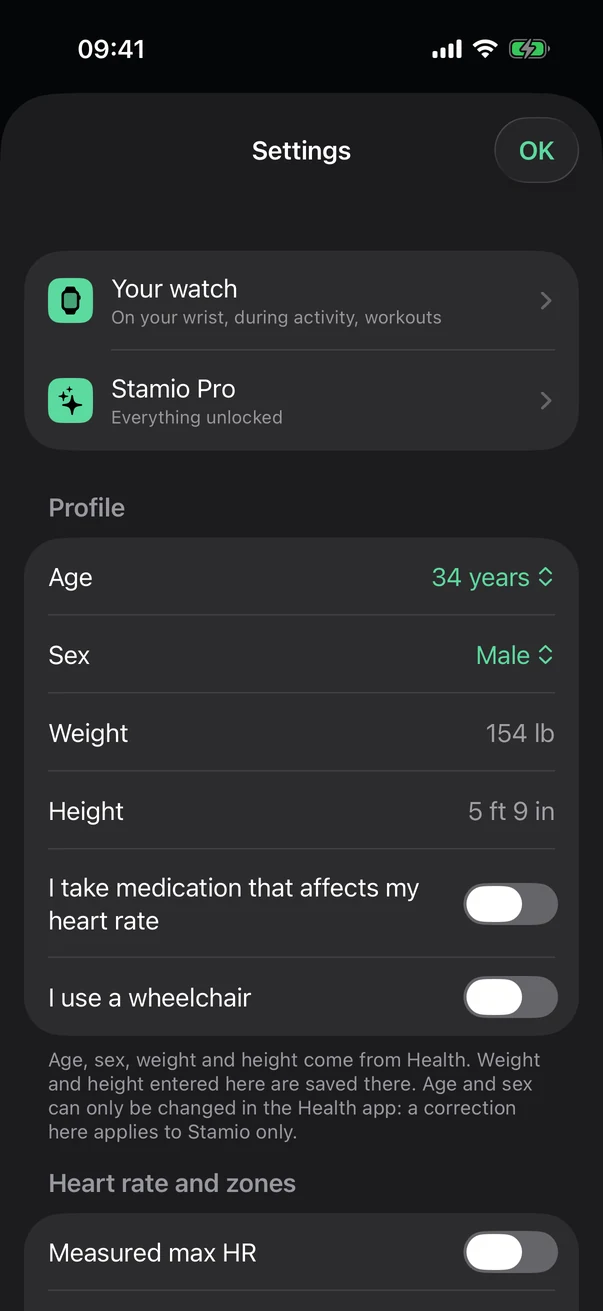
Further down: heart rate and zones, training (suggested daily workout, morning report), notifications, display, data and health, about.
- Your watch
Everything about your watch, in one place (below).
- Stamio Pro
Your subscription: manage it, restore purchases.
- Profile
Age, sex, weight and height come from Health.
Your watch
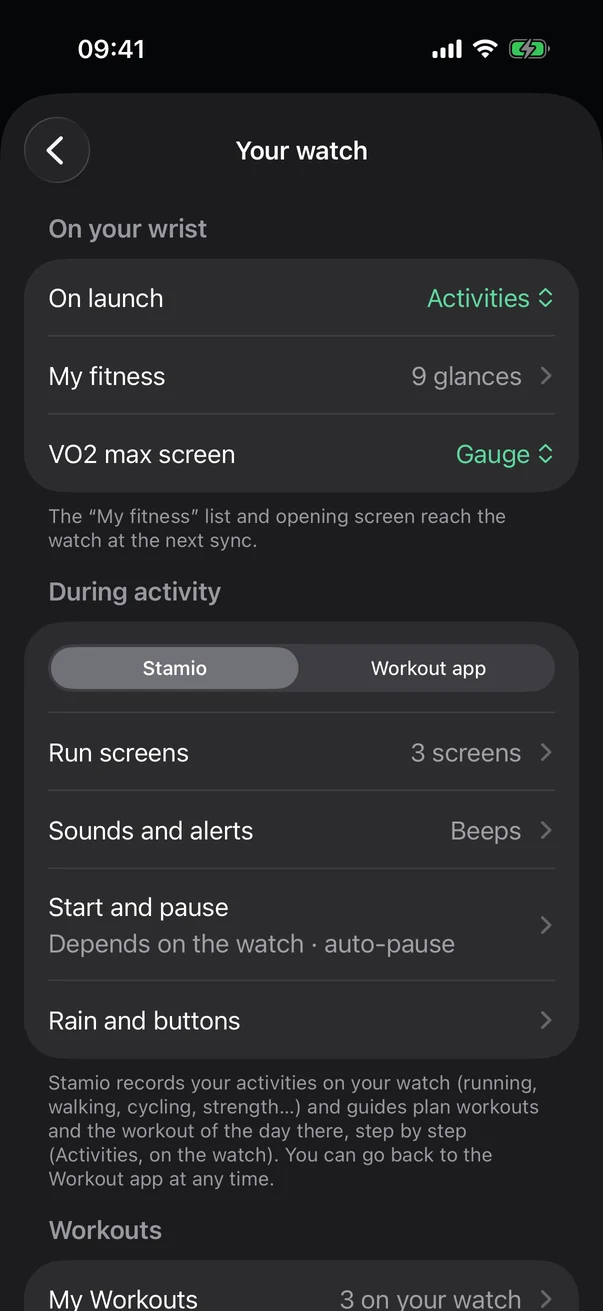
Further down: My Workouts, plus routes and maps.
- On your wrist
The screen it opens to (My fitness or Activities), the My fitness glances, the VO2 max screen.
- During activity
Stamio records and guides your activities, or the Workout app if you prefer.
- Screens, sounds, start, rain
Run screens, sounds and alerts, start and pause, rain and buttons.
Display
Appearance (auto, light or dark), distances in miles or kilometers, app language and watch language. On the watch, a new language shows up once Stamio restarts.
Data and health
Count workouts from other apps: by default, Stamio only counts what your watch or iPhone recorded.
Copy in iCloud keeps your plan, the times you entered and your preferences, with no health data at all, so you can get them back on a new iPhone. Strava: connect your account to send it your workouts.
Reset calculations recalculates everything from Health and keeps your plan and settings. Delete app data erases everything Stamio has saved, without touching Health.
About
The version, privacy, this user guide, help and support, and Replay the tour to bring back the getting-started bubbles.
See also: Screens, buttons, rain and battery.