User guide Today
Today
Your fitness tab: one sentence for your day, your key numbers, and the details behind each one, a tap away.
Where iPhone › Today
Today's card
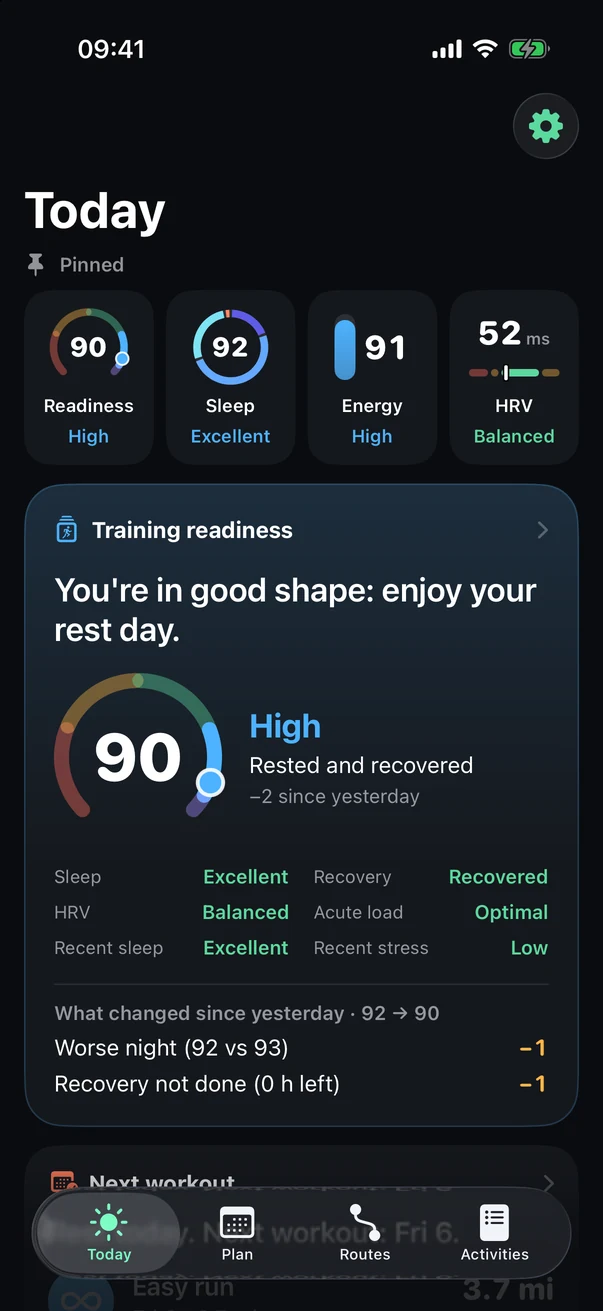
The card at the top of your home screen changes with your fitness and your plan. The tiles below it show the rest of your numbers.
- Today's takeaway
What your fitness means for today, in plain words.
- Your number
Its gauge and what's driving it, here your nights.
- What goes into it
Sleep, HRV, recovery, load and more, each with its own level.
- What changed
Why your number moved since yesterday.
A number in detail
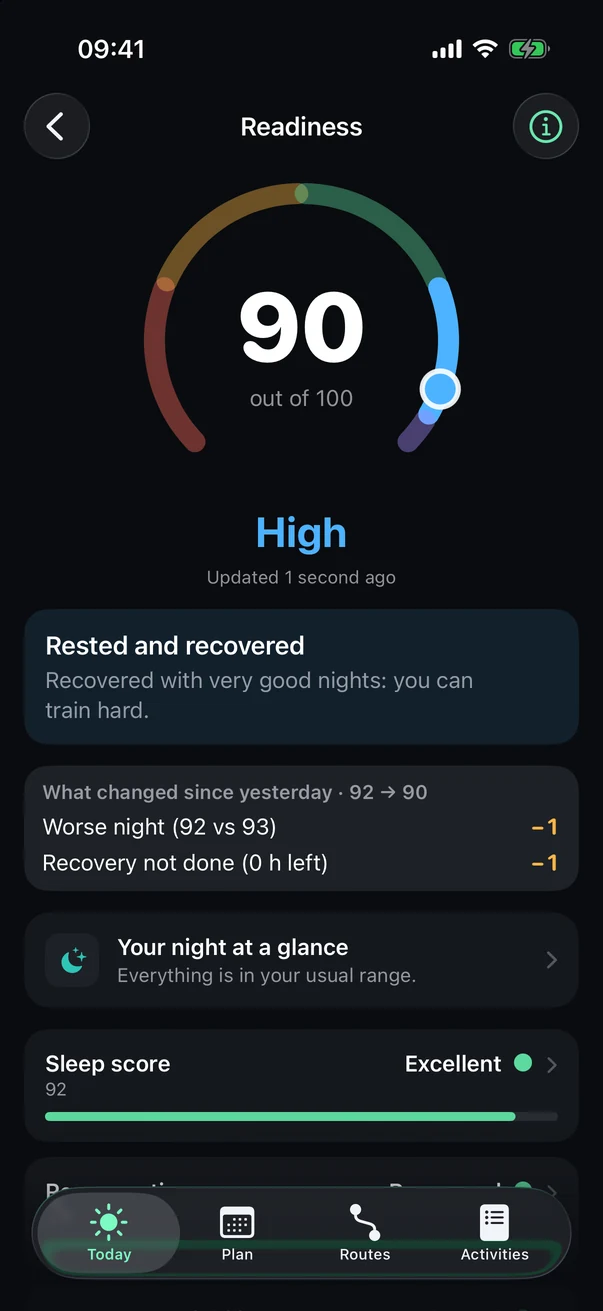
Tap a tile or a pinned number.
- What is it?
The ⓘ button explains the number in two sentences, and what it means for you.
- Your number
And its level, updated throughout the day.
- In one sentence
What matters most today.
- What moved
Everything that pushed your number up or down, and by how much.
- Go further
Your night, your sleep and related numbers, each a tap away.
Organize your home screen
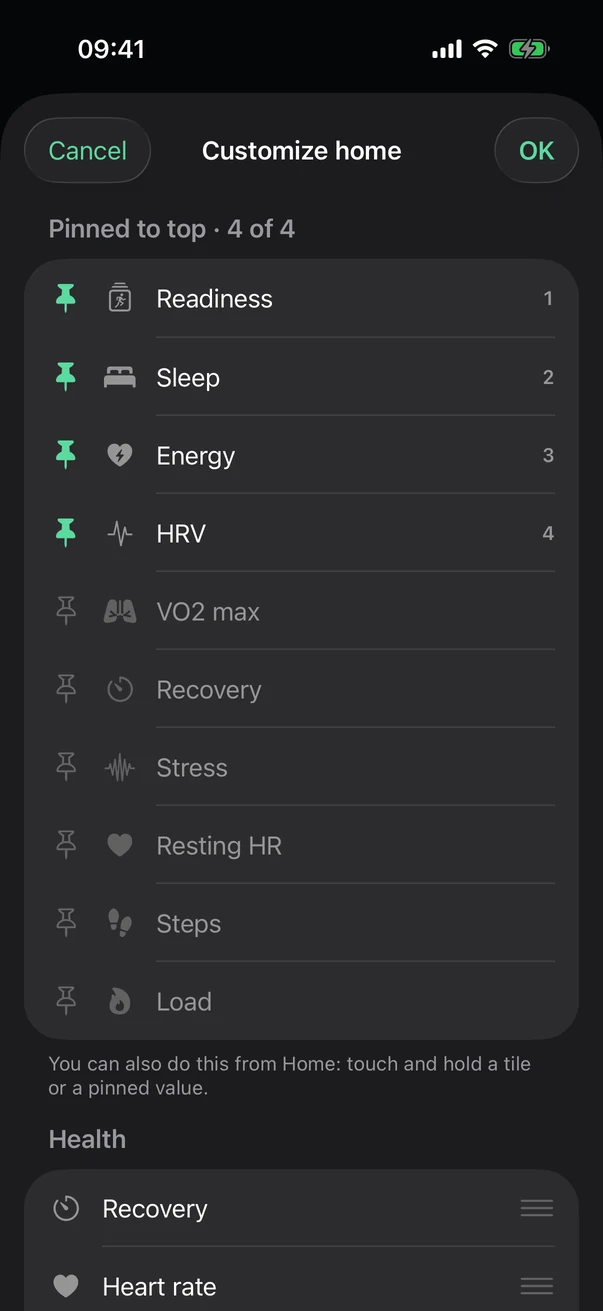
At the bottom of the home screen, tap Organize.
- Pinned to top
Up to four, always at the top of your home screen.
- Pin
Tap a row to pin it, or to unpin it. With four already pinned, unpin one first.
- Tile order
Grouped by topic. Drag to reorder: the first 4 in each topic stay visible, the rest sit behind Show more.
Tip Faster: touch and hold a tile or a pinned number right on the home screen. Reset home to default puts everything back the way it started.
See also: How readiness is calculated, Sleep, HRV and energy, Training load.