How it works Guided workouts and builder
Guided workouts on your wrist
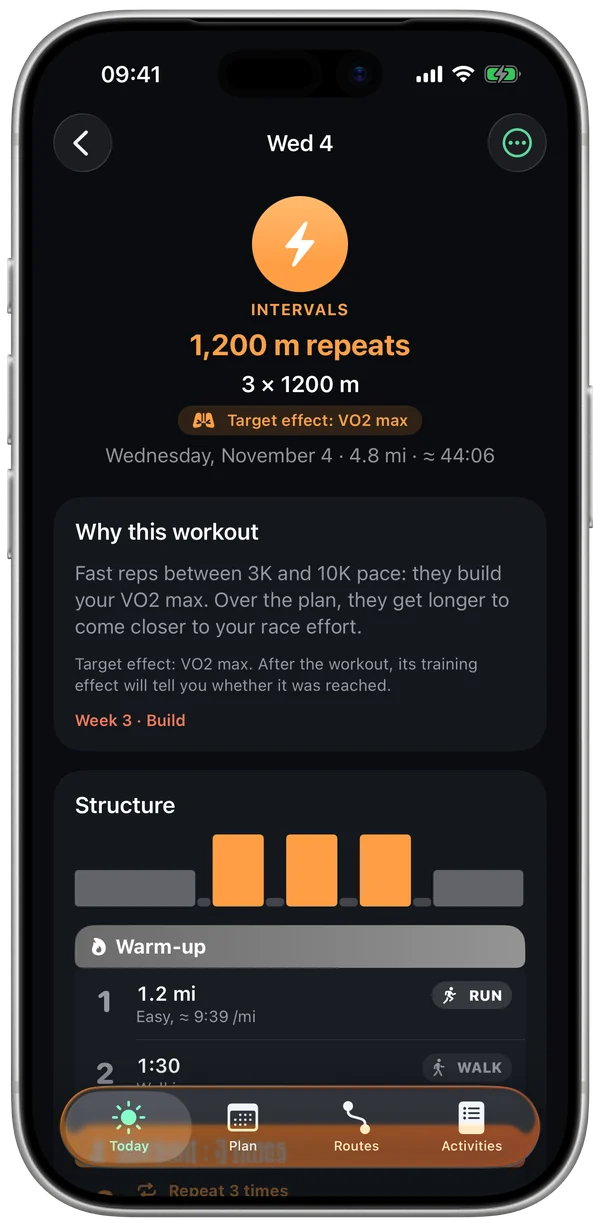
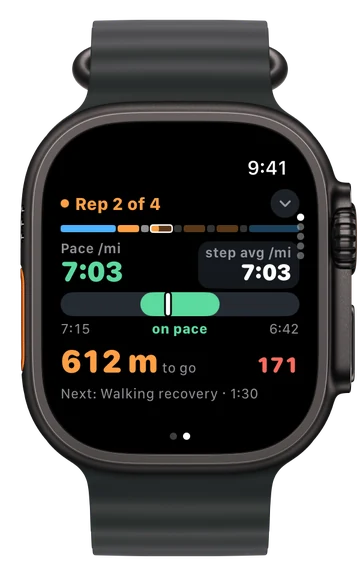
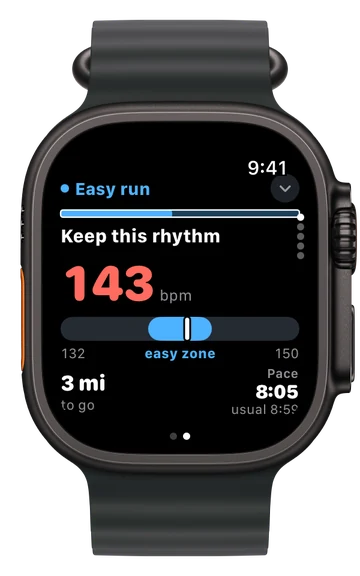
Today's workout is waiting on your watch, and you can build your own. Hit start and Stamio coaches you through it: current step, target pace, what's left, what's next, with beeps and voice.
What gets guided
- Your plan workouts and today's suggested workout.
- Your own workouts, built on your iPhone in "My Workouts" (see below).
- "Start running", step by step: walking and running by the minute, with no pace to hold.
Create your own workouts
- 1
Start from a template or a blank slate
Short intervals, Threshold, Pyramid, Hills or Heart rate easy run: templates use today's paces, based on your fitness, and keep tracking them as long as you don't edit them. You can also copy in a workout from a coach or a club.
- 2
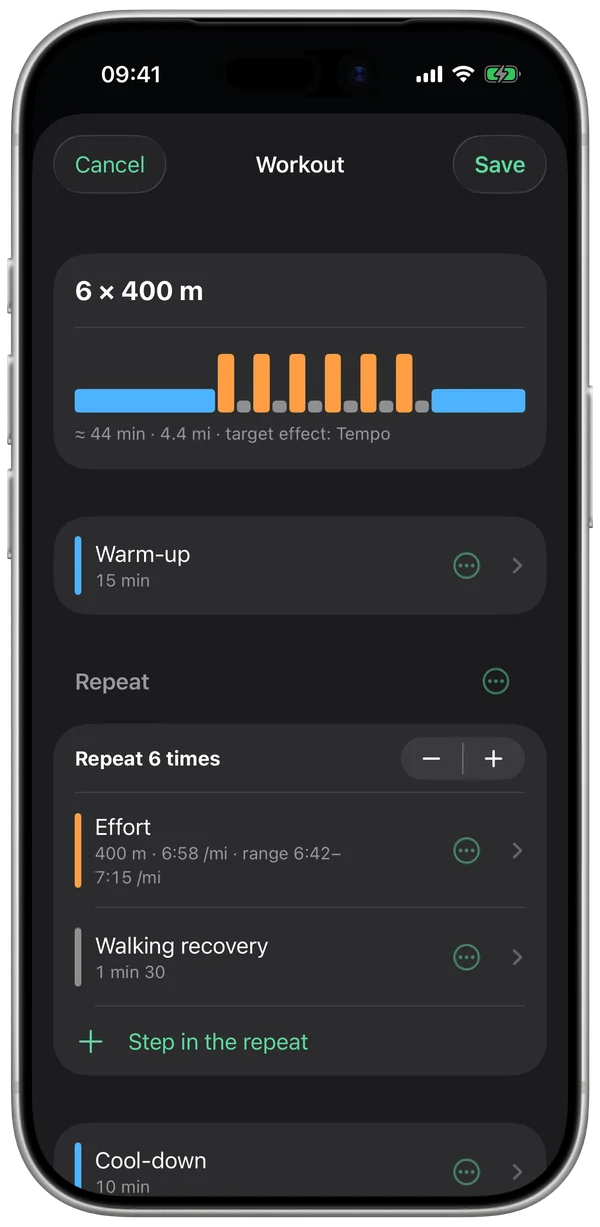
Build your steps
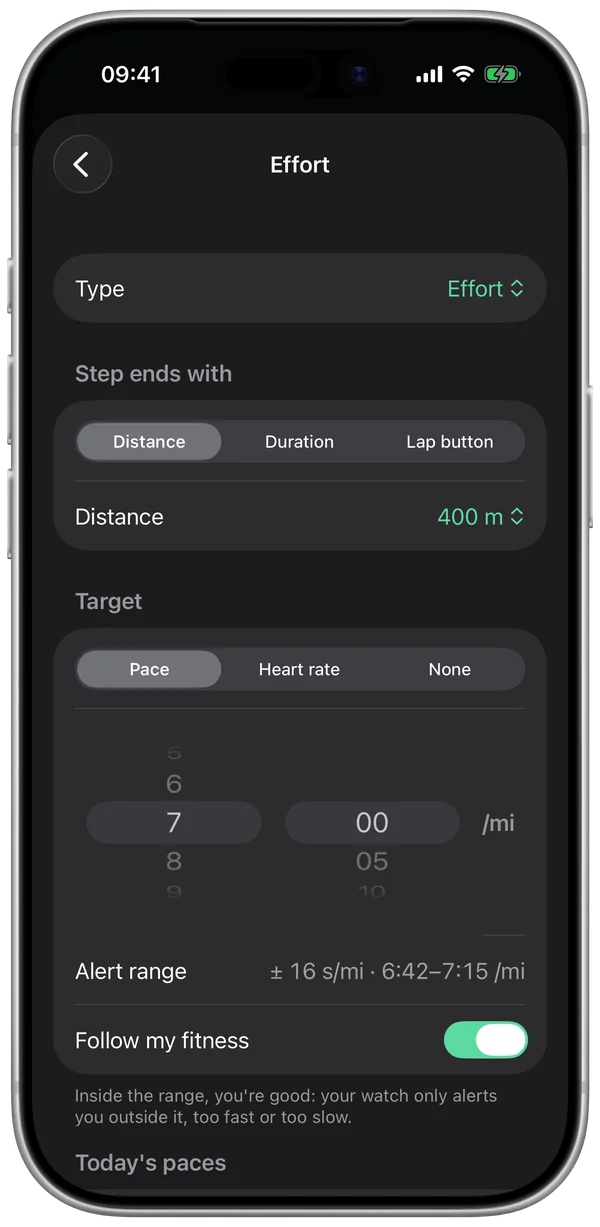
Warm-up, efforts, recoveries, cool-down, and repeat blocks ("Repeat 6 times"). Each step ends at a distance, after a set time, or when you press the Lap button.
- 3
Set a target for each step
A pace, with a range of ±10 seconds per km (±16 seconds per mile); a heart rate zone; "Easy", where your watch only alerts you if you go too fast; "By effort", with no number to chase, for hills or strides; or no target. Today's paces are suggested: one tap and you're set, no need to memorize them.
- 4
Check before you save
Up top: the workout's outline, its estimated time and distance, and the target effect (Tempo, Threshold…).
- 5
Find it on your watch
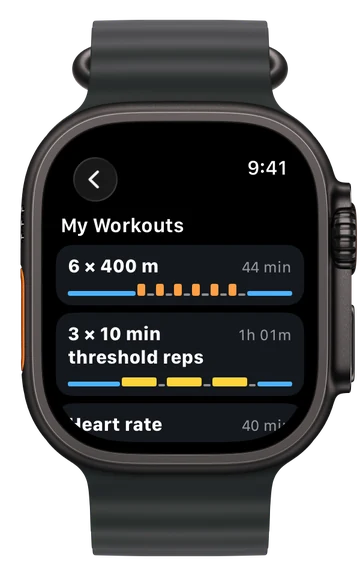
If it's scheduled for a day, it's waiting at the top of Activities that day. Otherwise it lives in "My Workouts" on your watch, ready whenever you are, outdoors or on a treadmill, even without your iPhone.
During the workout
- 1
Prepped by your iPhone
Your iPhone calculates today's paces from your fitness, writes out each step and sends it to your watch. All the watch has to do is guide you, even far from your iPhone.
- 2
The current step
At the top, the step and a bar showing every step. In the middle, your pace and a gauge showing whether you're in range. At the bottom, what's left and what's next.
- 3
The range, and alerts
A target pace has a range of ±10 seconds per km (±16 seconds per mile). Outside it, the watch vibrates and says "A bit fast" or "A bit slow". An easy step is never flagged as too slow, and there are no pace alerts on the treadmill.
- 4
Easy runs, by heart rate
Easy runs stay between 50 and 72% of your heart rate reserve. Drift above that and a gentle alert reminds you.
- 5
Transitions
A countdown before each step, the recovery counting down, then the voice calls the next step. On an easy run or long run, a lap every mile and a mile screen; in intervals, one lap per step.
- 6
The review, at the finish
For a plan workout, each step is checked against its range and gets a verdict, on your watch and then in the workout details on your iPhone. Your own workouts and today's suggested workout skip this review: your numbers are in the workout details.
What can throw it off
- Blocked GPS: your current pace can jump. The ±10-second range absorbs small swings.
- Wrist heart rate that drops out early in a workout: the easy-run alert can be off for a few minutes. A chest strap fixes that.
- On a treadmill, the watch estimates distance: pace is only a guide, which is why there are no alerts.
What you can set
- Record with Stamio (the default) or with the Workout app. Your own workouts are always guided by Stamio.
- Sounds: vibrations only, beeps or voice.
- Walking or jogging recoveries.
- Auto-lap and the mile screen.
- In "My Workouts": edit, duplicate or delete a workout (30 max).
Questions
Do my own workouts change my plan?
No. They're added alongside your plan without replacing anything. The run then counts like any other, toward your load and your VO2 max.
What does the voice say?
The step that's starting and, if you're off target, your pace followed by "A bit fast, ease off" or "A bit slow, speed up". No abbreviations: "6 minutes", never "6 min".
Can I skip a step?
Yes: "Next step" in the watch controls.
What if I'd rather use the Workout app?
Pick it in Settings: plan workouts are sent there with their steps and alerts, and the review works either way. Your own workouts stay guided by Stamio.
Paces are set to your fitness. Listen to your body: you can always run a workout easier.