User guide Guided workouts
Guided workouts
Your plan's workouts, plus the ones you build yourself (from a coach or a club): your watch guides you step by step, by voice and on your wrist.
Where iPhone › Plan › My Workouts
My Workouts
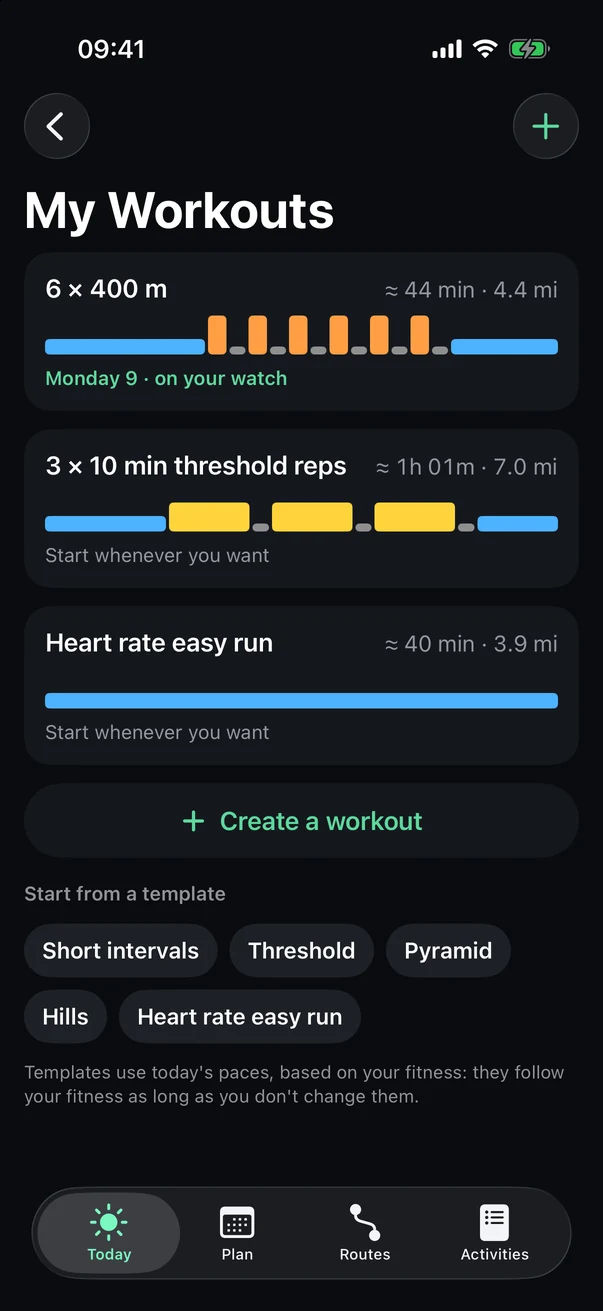
At the bottom of the Plan tab, or Settings › Your watch › Workouts. Your workouts add to your plan without replacing anything, and they're waiting on your watch, in Activities.
- Your workouts
Their structure at a glance, and the day they're planned for, if any.
- Create a workout
- Start from a template
Short intervals, threshold, pyramid, hills, heart rate easy run: set to today's paces.
Build a workout
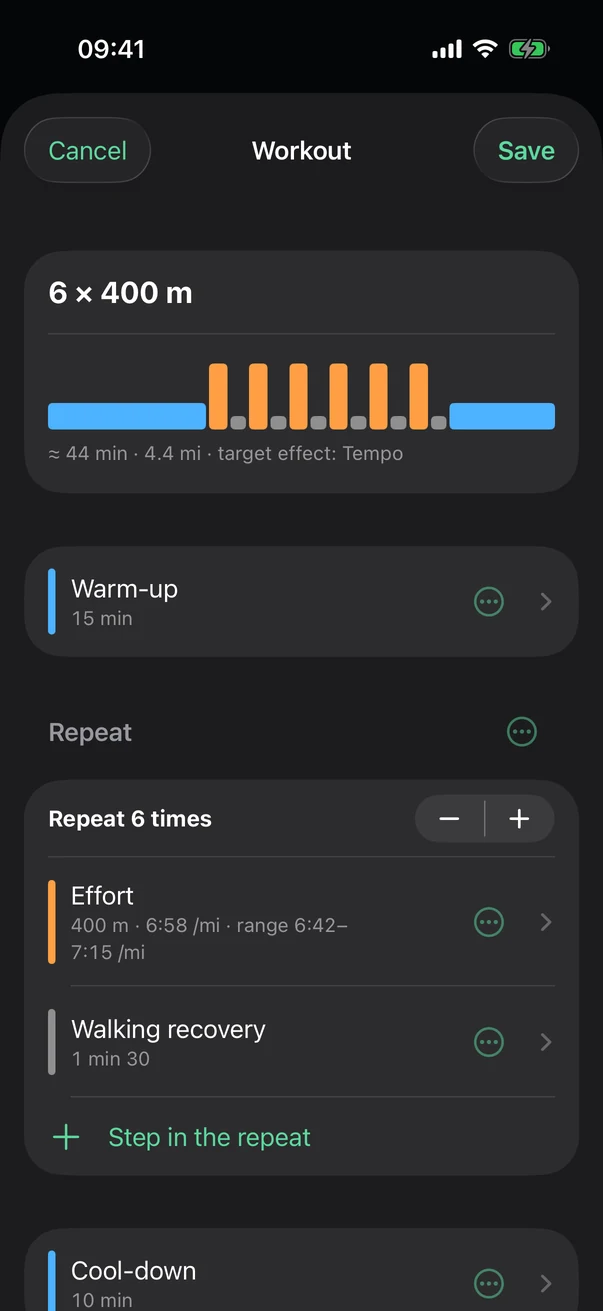
- Structure
It redraws with every change.
- A step
Tap it: end it by time, distance or the Lap button; set a pace or heart rate to hold.
- The repeat
How many times, with − and +.
- Add
A step inside the repeat, or after it.
Tip Today's paces come from your fitness: one tap sets them, no need to know them by heart. Follow my fitness keeps them up to date.
What your watch tells you
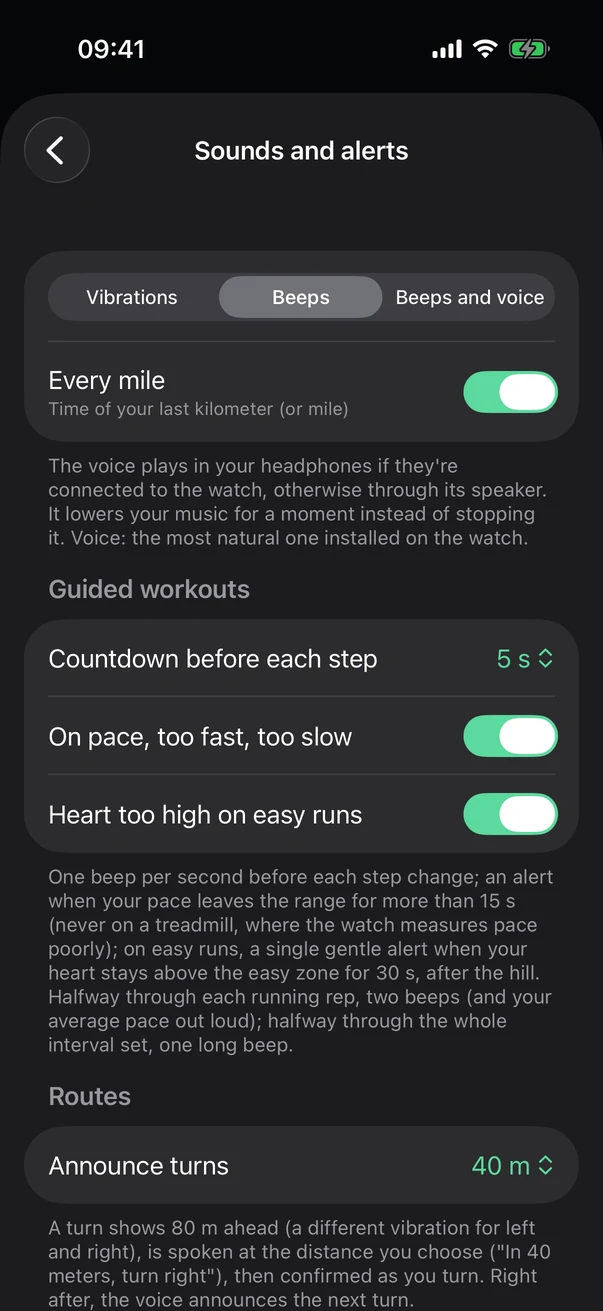
Settings › Your watch › Sounds and alerts. The voice plays through your headphones if they're connected to your watch, otherwise through its speaker.
- Vibrations, beeps or voice
- Every mile
Your last mile's time.
- Guided workouts
Countdown before each step, too fast or too slow, heart too high on easy runs.
- Routes
How far ahead turns are announced.
On your watch
Open Stamio on your watch, then Activities: your plan's workouts and your own are at the top of the list. Tap one, then Start.
What a step screen shows and how to skip to the next one: During your run.
See also: Guided workouts, in detail, Screens, buttons, rain and battery.